How to maintain and troubleshoot an automatic sliding door opener?

Here are the methods for maintaining and troubleshooting an automatic sliding door opener:

Maintenance

Regular Cleaning

Clean the exterior of the door opener with a soft, damp cloth to remove dust and dirt. Pay attention to the track and sensor areas, as any debris accumulated there can affect the door's operation.

Vacuum the track regularly to remove small particles and debris that could cause friction or jamming.

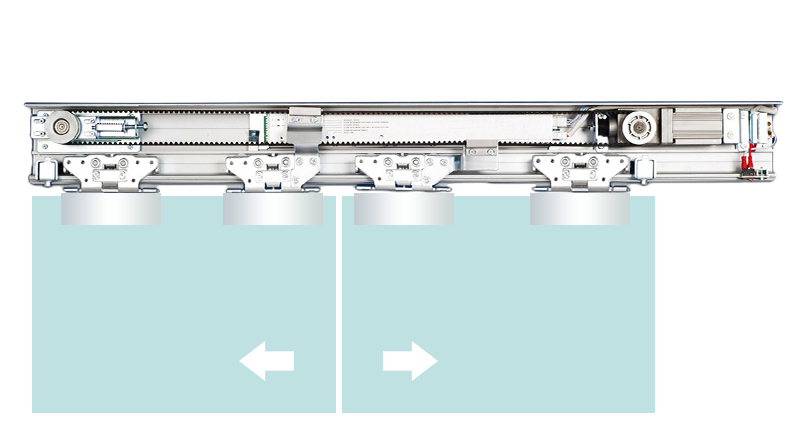
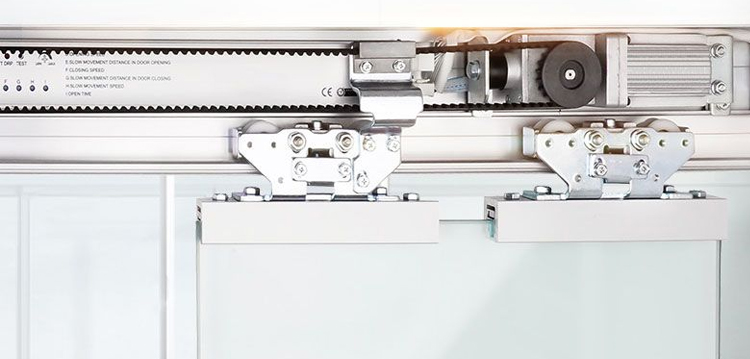
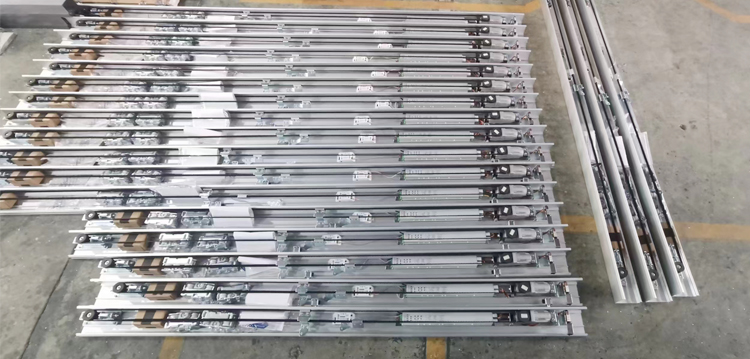
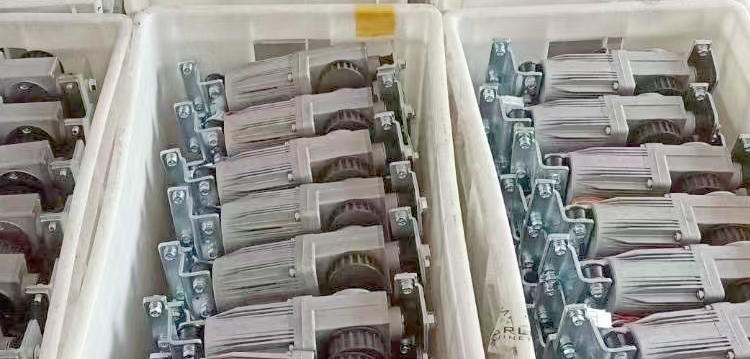
maintain and troubleshoot an automatic sliding door opener


Lubrication

Lubricate the moving parts of the door opener, such as the rollers, hinges, and tracks, with a suitable lubricant. This helps to reduce friction and ensures smooth operation. Use a silicone - based lubricant for better results, and apply it according to the manufacturer's instructions.

Check and Tighten Fasteners

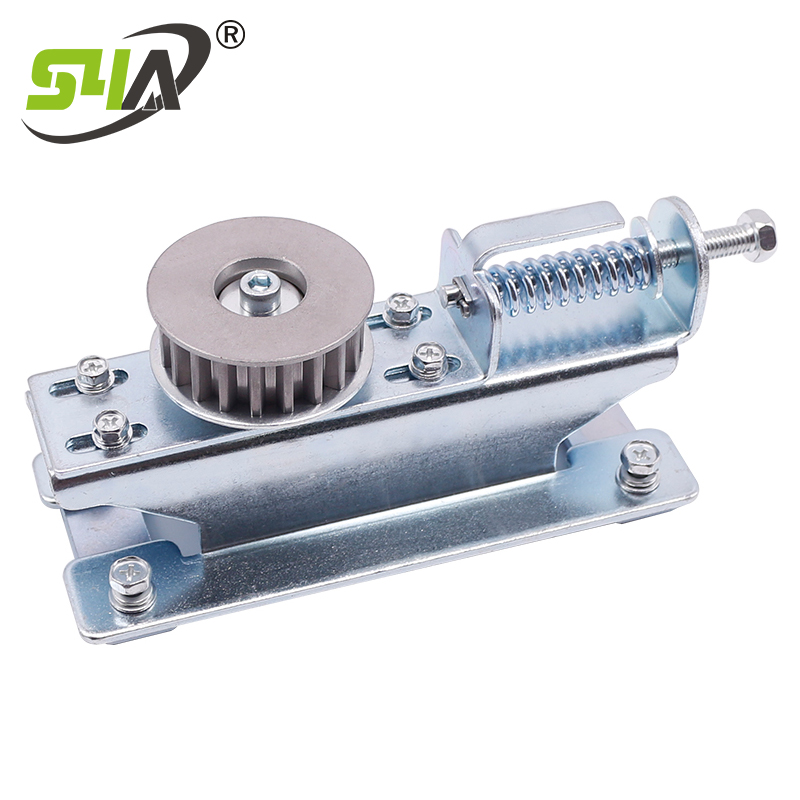
Periodically check all the screws, bolts, and nuts on the door opener and its associated components. Over time, vibrations can cause these fasteners to become loose. Tighten any loose fasteners to prevent components from becoming misaligned or falling off.

Battery or Power Supply Check

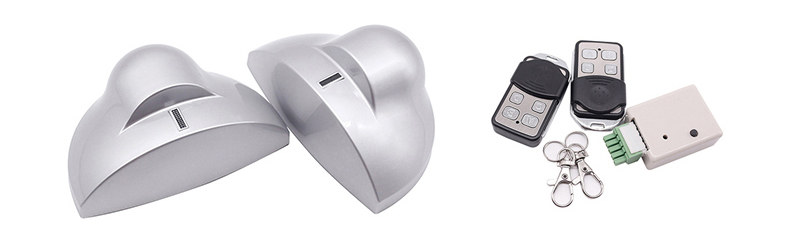
maintain and troubleshoot an automatic sliding door opener


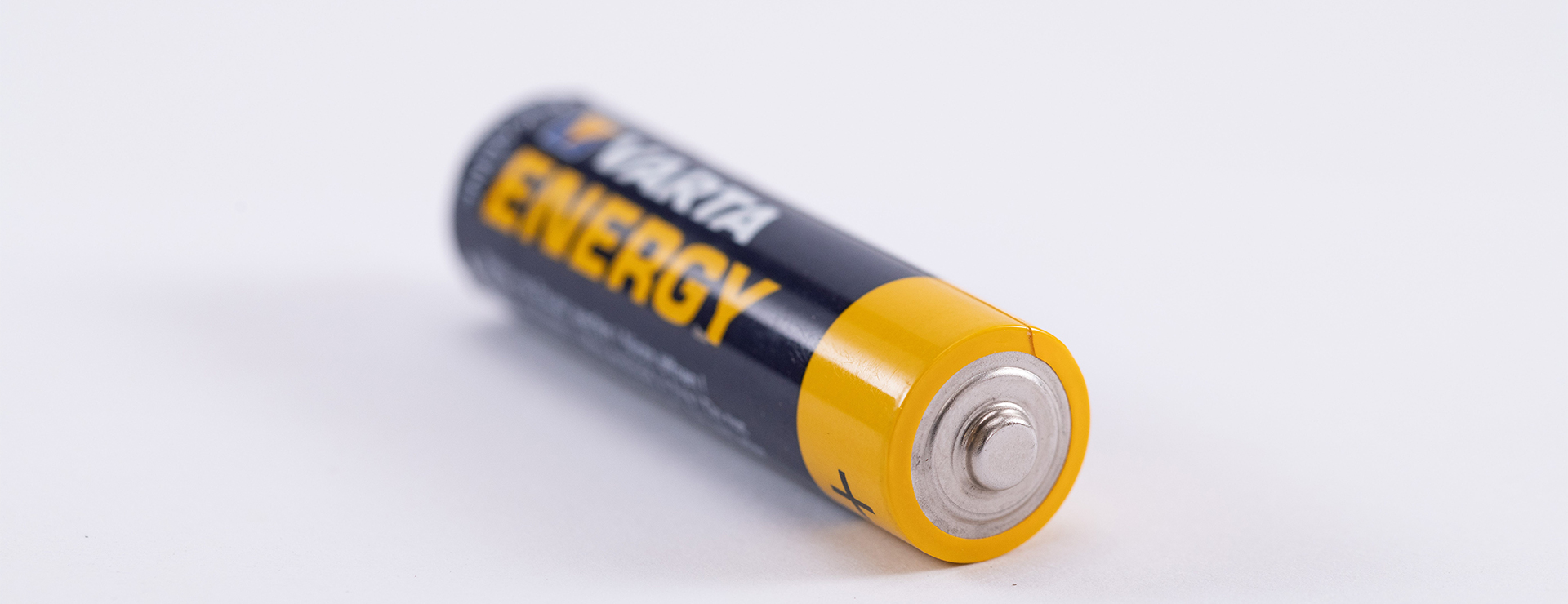
If the door opener is battery - powered, check the battery level regularly and replace the batteries when necessary. For AC - powered openers, ensure that the power cord is in good condition and that the outlet is working properly.

Sensor Calibration

The sensors on the automatic sliding door opener need to be calibrated regularly to ensure accurate detection. Refer to the manufacturer's instructions for the specific calibration process. Usually, this involves adjusting the sensitivity and range of the sensors.

Troubleshooting

Door Not Opening or Closing

Check if the power supply is working. Ensure that the door opener is plugged in and that there is no power outage. If it's battery - powered, replace the batteries if they are low.

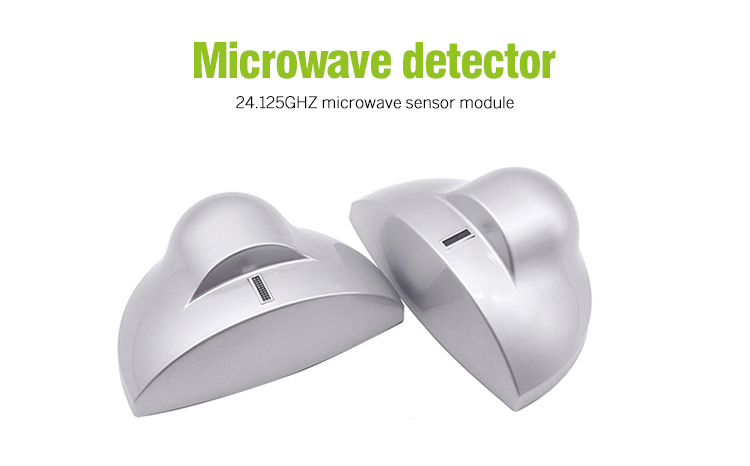
Inspect the sensors to see if they are blocked or dirty. Clean the sensors and make sure there are no objects or obstructions in their detection range.

Check the track for any debris or damage. Remove any obstacles and repair or replace the track if it is damaged.

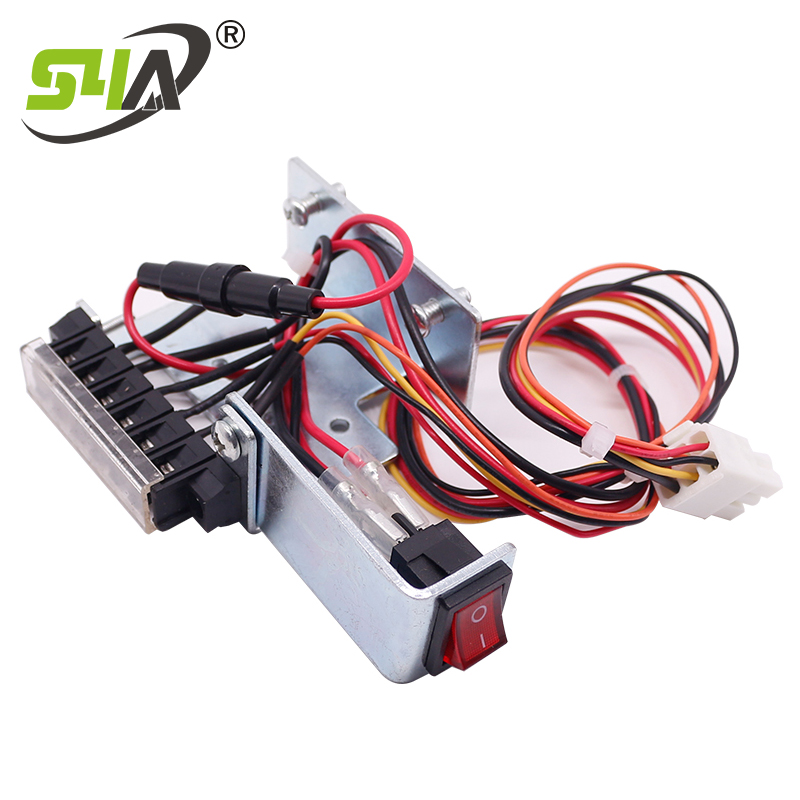
Test the control panel to see if the buttons are working properly. If the buttons are unresponsive, the control panel may need to be repaired or replaced.

Door Opens or Closes Slowly

Lubricate the moving parts as described in the maintenance section. Friction in the rollers, hinges, or tracks can cause the door to move slowly.

Check the power supply. If the voltage is low, it can affect the motor's performance. Contact an electrician to check the power supply if needed.

Inspect the motor. If the motor is overheating or making unusual noises, it may be malfunctioning and require repair or replacement.

Door Closes Partially or Stops Mid - Way

Check the sensors for proper alignment and functionality. A misaligned or faulty sensor can cause the door to stop prematurely.

Look for any obstructions in the door's path. Even a small object can trigger the safety sensors and cause the door to stop.

Examine the track for any irregularities or damage that could be causing the door to get stuck.

Door Makes Unusual Noises

Tighten any loose components. Loose screws, bolts, or parts can vibrate and make noise when the door moves.

Lubricate the moving parts. Dry or worn - out parts can produce squeaking or grinding noises.

Check the motor and gearbox. Unusual noises may indicate problems with these components, such as a worn - out gear or a faulty motor bearing.

If the above troubleshooting methods do not solve the problem, it is recommended to contact a professional technician at sales@s4a-access.com or the S4A 's customer service for further assistance.

Sliding door operator

Author: Written by Ms.Anna Zhang from S4A INDUSTRIAL CO., LIMITED


S4A-Anna

Continue
Why is my automatic sliding door not closing completely?

There are several reasons why your automatic sliding door may not be closing completely:

Obstructions:

Physical Obstacles: Check if there are any objects blocking the door's path. Even small items like leaves, debris, or a misplaced doormat can prevent the door from closing fully. Inspect the entire length of the track and the area around the door frame.


automatic doors with buildinghttps://www.s4a-access.com/automatic-door-opener_c90


Sensor Blockage: The sensors that detect the door's movement and its surroundings could be blocked or covered. Dirt, dust, or even a sticker accidentally placed on the sensor can interfere with its operation. Wipe the sensors clean and make sure there are no objects within their detection range that could be causing a false signal.


Track Issues:

Damage or Misalignment: Examine the track for any signs of damage, such as dents, bends, or rust. A damaged track can cause the door to get stuck or not move smoothly. Additionally, check if the track is properly aligned. Over time, the track may shift due to vibrations or other factors, affecting the door's movement.


Lack of Lubrication: The rollers on the door that move along the track may become dry or dirty, causing increased friction. This can make it difficult for the door to close completely. Lubricate the rollers and the track with a suitable lubricant, such as silicone - based spray, to reduce friction.


automatic doors with building access control systems


Motor or Mechanical Problems:

Motor Malfunction: The motor that powers the door's movement may be experiencing issues. It could be overheating, have a faulty winding, or be experiencing a power supply problem. If the motor is making unusual noises or seems to be working intermittently, it may need to be repaired or replaced.


Belt or Chain Issues: In some automatic sliding door systems, a belt or chain is used to drive the door. If this belt or chain becomes loose, worn, or damaged, it can affect the door's closing mechanism. Check the tension and condition of the belt or chain and adjust or replace it as necessary.


automatic doors with building


Sensor Calibration or Settings:

Incorrect Calibration: The sensors may be misaligned or miscalibrated. This can cause the door to stop closing prematurely, as the sensors may think there is an obstruction when there isn't. Refer to the manufacturer's instructions to recalibrate the sensors.


Faulty Sensor: A defective sensor can also lead to improper door operation. If the sensor is not functioning properly, it may send incorrect signals to the door controller. Test the sensor's functionality using a multimeter or other appropriate testing tools, and replace the sensor if it is found to be faulty.


Control System Issues:

Programming Errors: The control system that governs the door's operation may have incorrect programming. This could be due to a software glitch or incorrect settings. Try resetting the control system to its default settings and reprogramming it according to the manufacturer's instructions.


Electrical Problems: Check for any loose wires, corroded connections, or other electrical issues in the control system. A faulty connection can disrupt the flow of electricity and affect the door's operation. Tighten any loose connections and replace any damaged wires.


If you have tried all these troubleshooting steps and the problem persists, it is recommended to contact a S4A's professional technician at sales@s4a-access.com or the S4A's customer service for further assistance. They have the expertise and specialized tools to diagnose and fix more complex issues with automatic sliding doors.


Author: Written by Ms.Anna Zhang from S4A INDUSTRIAL CO., LIMITED
1745372638621776.jpg

Continue
What is Focused Ion Beam (FIB)?

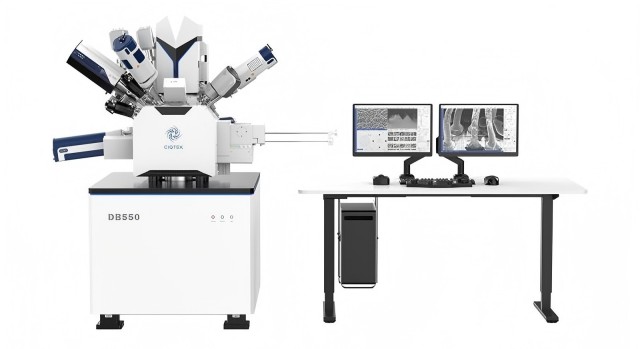
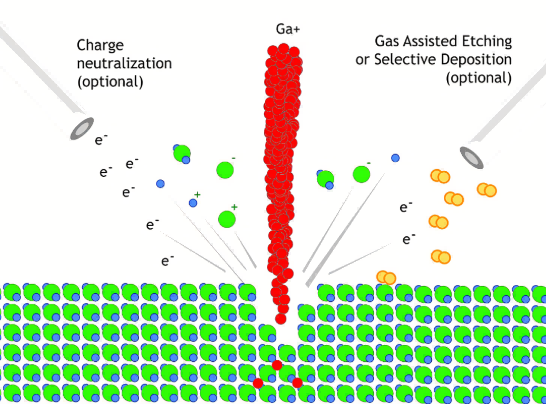
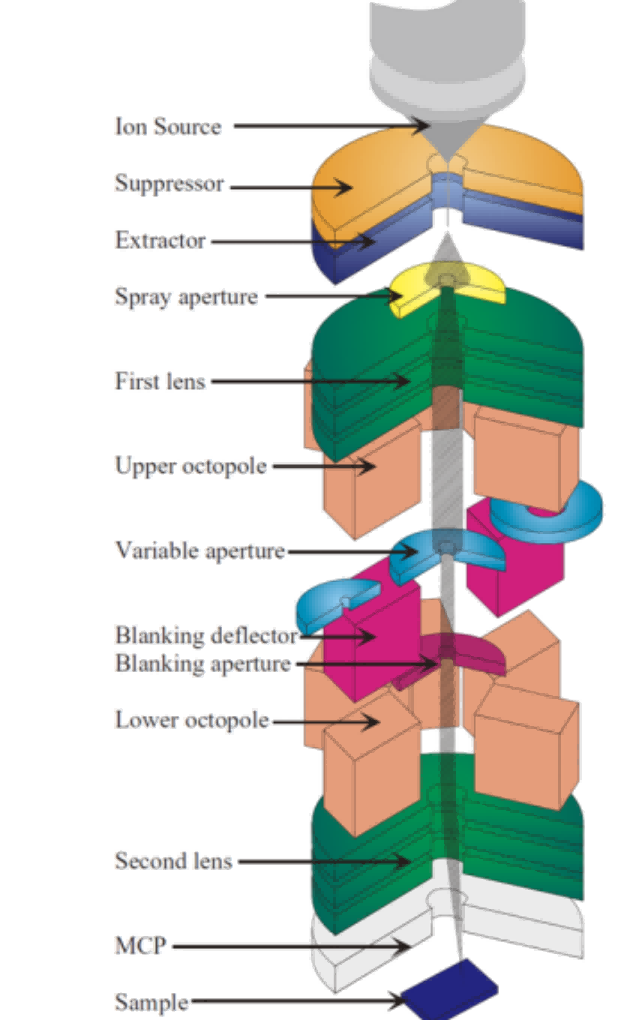
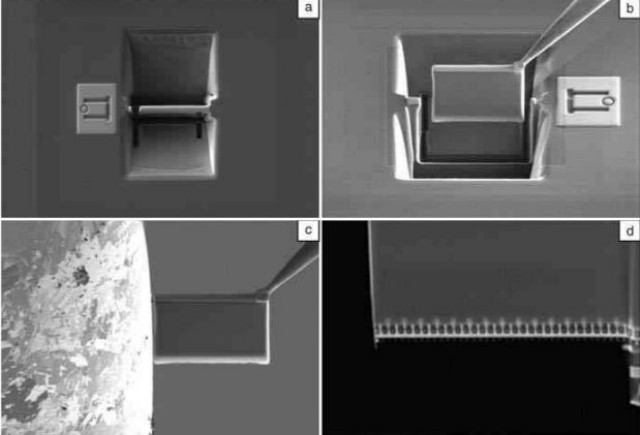
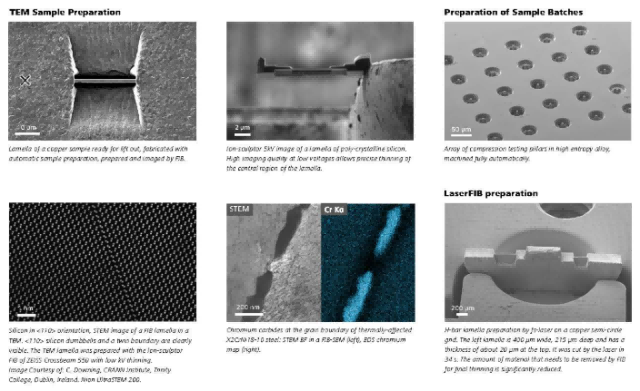
Focused Ion Beam (FIB) technology has become an essential part of modern technological advancements, particularly in semiconductor manufacturing and nanofabrication. While FIB technology is well-known, its history and development are not widely known. Focused Ion Beam (FIB) is a micro-cutting instrument that uses electromagnetic lenses to focus an ion beam into a very small area. FIB involves accelerating ions from an ion source (most FIBs use Ga, but some devices have He and Ne ion sources) and then focusing the beam onto the surface of the sample.

CIQTEK DB550 Focused Ion Beam Scanning Electron Microscope (FIB-SEM) 


Origin of FIB Technology


Since the 20th century, nanotechnology has rapidly developed as an emerging field in science and technology. Currently, nanotechnology represents one of the forefront areas of scientific and technological advancement and has significant implications for economic and social development as a national strategy. Nanostructures have unique properties due to their structural units approaching the coherence length of electrons and the wavelength of light, leading to surface and interfacial effects, size effects, and quantum size effects. They exhibit many novel characteristics in electronics, magnetism, optics, and mechanics, and hold enormous potential in high-performance device applications. The development of novel nanoscale structures and devices requires the advancement of precise, multidimensional, and stable micro-nanofabrication techniques. Micro-nanofabrication processes are extensive and commonly involve techniques such as ion implantation, photolithography, etching, and thin film deposition. In recent years, with the trend of miniaturization in modern manufacturing processes, Focused Ion Beam (FIB) technology has increasingly been applied in fabricating micro-nano structures in various fields, becoming an indispensable and important technique in micro-nanofabrication.

FIB technology is developed based on conventional ion beam and focused electron beam systems and is essentially the same. Compared to electron beams, FIB scans the sample surface using an ion beam generated by an ion source after acceleration and focusing. Since ions have much greater mass than electrons, even the lightest ions, such as H+ ions, are more than 1800 times the mass of electrons. This enables the ion beam to not only achieve imaging and exposure capabilities similar to electron beams but also utilize the ion's heavy mass to sputter atoms from solid surfaces, making it a direct processing tool. FIB can also induce atoms to deposit onto the sample material surface by combining with chemical gases. Therefore, FIB is a widely applicable tool in micro-nanofabrication.


Development of Ion Sources


In the development of FIB technology, the advancement of high-brightness ion sources has been crucial. Early gas ion sources and Liquid Metal Ion Sources (LMIS) laid the foundation for FIB technology. In 1974, Seliger and Fleming first used a gas ion source for maskless ion implantation and resist exposure, confirming the potential of this technology. Subsequently, Orloff and Swanson developed the gas field ion source, which had high resolution but limited industrial application due to the requirement of low temperatures. The Liquid Metal Ion Source, on the other hand, was more successful due to its high ion brightness and ease of operation, laying the foundation for modern FIB systems based on Ga LMIS.


Applications of FIB Technology


FIB technology finds a wide range of applications, including ion implantation, milling, surface chemistry, lithography, materials micro-analysis, and scanning ion microscopy. In 1987, J. Melngailis published a comprehensive review of FIB applications, highlighting the potential of FIB technology in multiple fields.


Continue
Why CIQTEK EPR Is a Smart Choice for UK Labs?

EPR (Electron Paramagnetic Resonance) spectroscopy remains indispensable in cutting-edge research from energy storage to bio-radical chemistry. As more UK labs seek instruments that balance performance, usability, and cost, a new player is making a strong impression across Europe: CIQTEK. Here’s why more researchers are turning to CIQTEK’s EPR solutions — and what makes them stand out.


Meeting the Needs of Modern UK Research Labs

Whether in leading research‑intensive universities or smaller independent research centers, EPR users today want more than just raw sensitivity — they value flexibility, service, and return on investment. UK labs, in particular, are balancing world-class ambitions with careful budgeting and time pressure. This is where CIQTEK EPR systems have found a clear niche.


In recent European demos and trials — including installations in France and on-site testing in the UK — researchers have noted how CIQTEK’s compact design and easy-to-learn software enable quicker start-up, less training, and smooth integration with existing workflows.


Performance Where It Counts: Compact Yet Capable

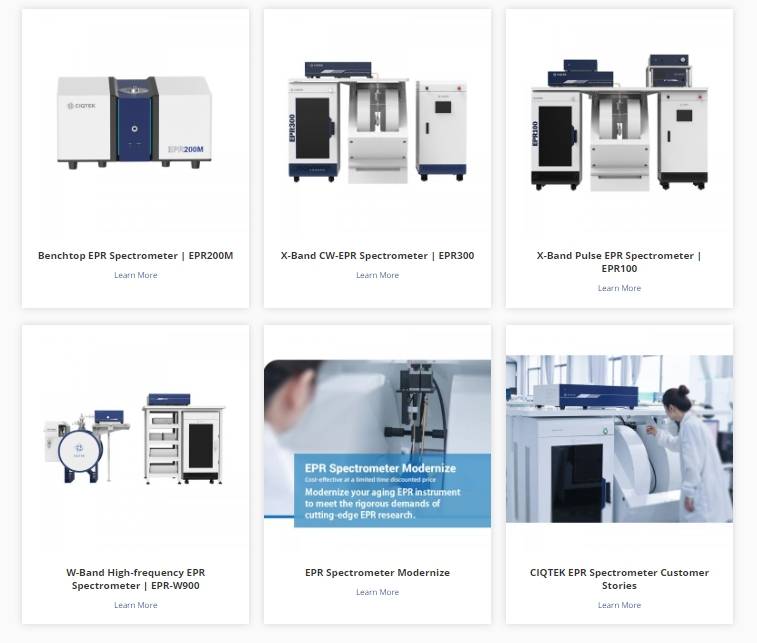
CIQTEK Benchtop EPR EPR200M may look small, but it delivers capabilities well beyond expectations:

  • X-band continuous wave with high modulation depth and stable magnetic field control

  • Integrated temperature control (VT) without bulky external cryostats

  • Optimized for paramagnetic centers, metal complexes, and free radical detection

Meanwhile, the CW/Pulse EPR (EPR300/EPR100) system offers advanced time-resolved measurements for researchers diving into spin dynamics or exploring transient species, all within a streamlined, fully integrated setup.

Researchers at a UK materials science lab recently commented during a demo:

“We were surprised that a system this compact could generate clean spectra at cryogenic temperatures, with so little prep time. It’s exactly what we needed for fast, routine spin checks.”

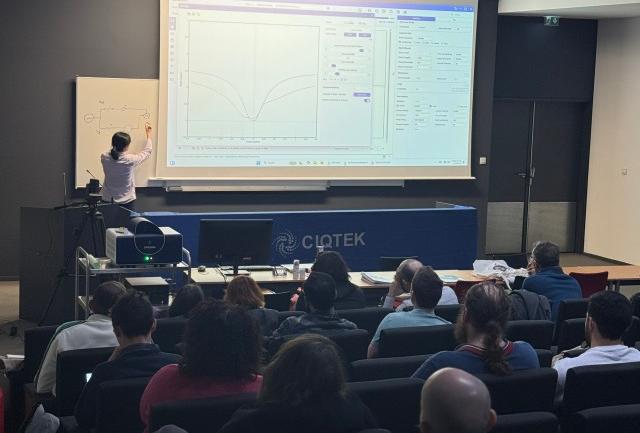
ciqtek epr workshopCIQTEK EPR Workshop


Cost-Effective Without Compromise

Traditional high-end EPR systems can stretch lab budgets thin. CIQTEK offers an attractive alternative with:

  • Transparent pricing and flexible configurations

  • Low operational overheads (built-in accessories, minimal consumables)

  • All-in-one systems that reduce space and utility costs


For institutions with multiple research teams or shared facilities, CIQTEK’s modular EPR platforms allow more users to benefit without requiring additional infrastructure.


Local Support and Global Standards

CIQTEK’s growing footprint in the UK is supported by local partnerships for installation, training, and fast-response service, addressing a common pain point for many UK labs working with overseas suppliers.


European researchers who've adopted CIQTEK systems have praised the speed of onboarding and the clarity of support documentation. Whether it’s remote software guidance or on-site calibration, users report a refreshingly responsive experience.


The Smart Choice for a Smarter Lab

If your lab is considering a new EPR system — or upgrading from a legacy model — now is the time to explore options that bring efficiency, innovation, and reliability together. CIQTEK’s EPR line is designed not just to meet technical demands but to support your team’s productivity from day one.

CIQTEK EPR Collections


Continue
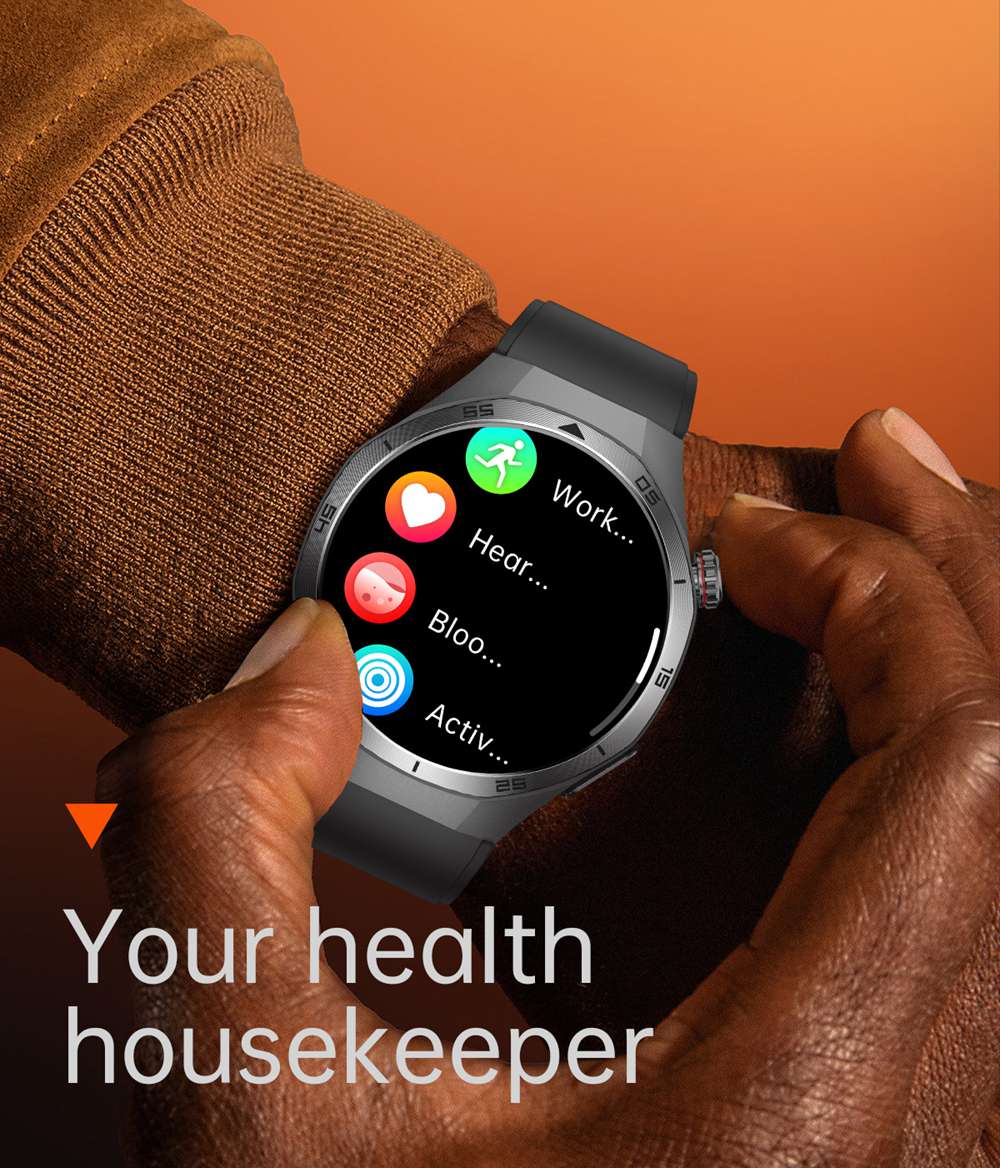
The ET456 ECG Smartwatch Transforming My Life, One Feature at a Time
Hey everyone!
Today, I'm excited to share my experience with the ET456 ECG Smartwatch. It's become a daily essential, and here's why.


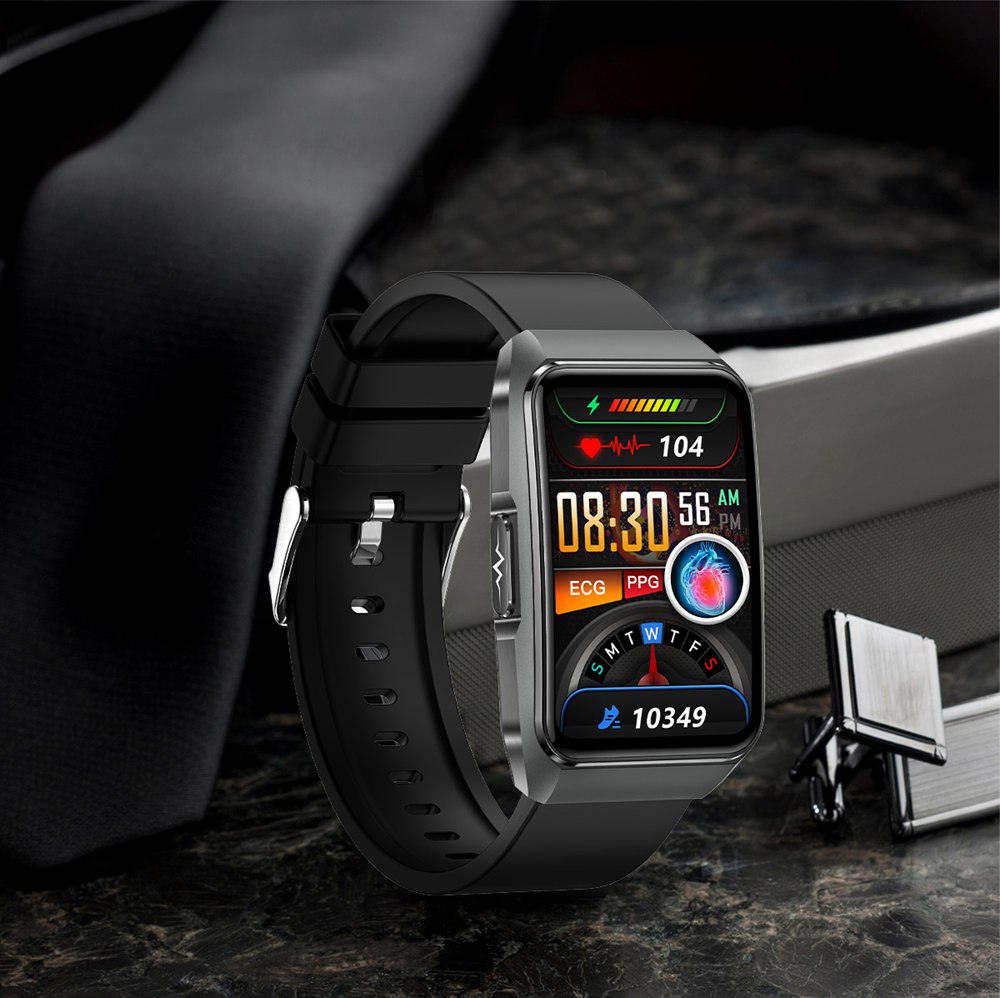
The 1.56 - inch HD screen with 480*480 resolution is a visual treat. Whether checking time or stats, the vivid colors make using the watch a joy.
The electrocardiogram function is a game - changer. With a family history of heart issues, being able to monitor my heart at any time gives me peace of mind.
The 30 - second micro - physical examination is incredibly useful. In no time, I get key health info like body temperature, heart rate, blood oxygen, and blood pressure.
Emotional detection and fatigue analysis have opened my eyes. They help me spot stress and fatigue, so I can adjust my schedule and boost my well - being.
The Bluetooth call function is a lifesaver for someone on the go. Answering or making calls from my watch keeps me connected without the hassle.
And the Alipay offline payment? Super convenient. Paying for coffee or groceries is just a tap away.


In short, the ET456 is more than a watch; it's a lifestyle upgrade. It combines health monitoring, communication, and payment in one sleek device. I highly recommend it!
digital watch smart watch
 
 
Continue
The ET650 ECG Watch Redefining Convenience and Health Monitoring

The ET650 ECG Watch offers convenience and comprehensive health tracking. For those constantly on the move, the Bluetooth call feature is a game - changer. Whether you're cycling to work or in the middle of a workout, you can answer important calls directly from your wrist without fumbling for your phone.

When it comes to health, the ET650 shines brightly. Its electrocardiogram detection allows you to quickly assess your heart health anytime, anywhere.  Women will appreciate the menstrual tracking function, helping them plan their month with ease. The 24 - hour sleep monitoring provides in - depth insights into your sleep quality, while features like fatigue detection and sedentary reminders encourage a healthier lifestyle. In case of an emergency, the SOS function ensures immediate help is just a click away.   

Beyond health, the watch is packed with useful daily features. The step counting, calorie tracking, and various sports modes are perfect for fitness enthusiasts. Need to time a cooking recipe? The stopwatch and countdown timer have got you covered. The social sharing function makes it effortless to share your achievements on platforms like WeChat, Facebook, and Twitter. And when you want to unwind, you can even play some games right on your watch.   

The ET650 ECG Watch truly has something for everyone, making it an essential companion for modern life.


ECG WATCH ET650


Continue
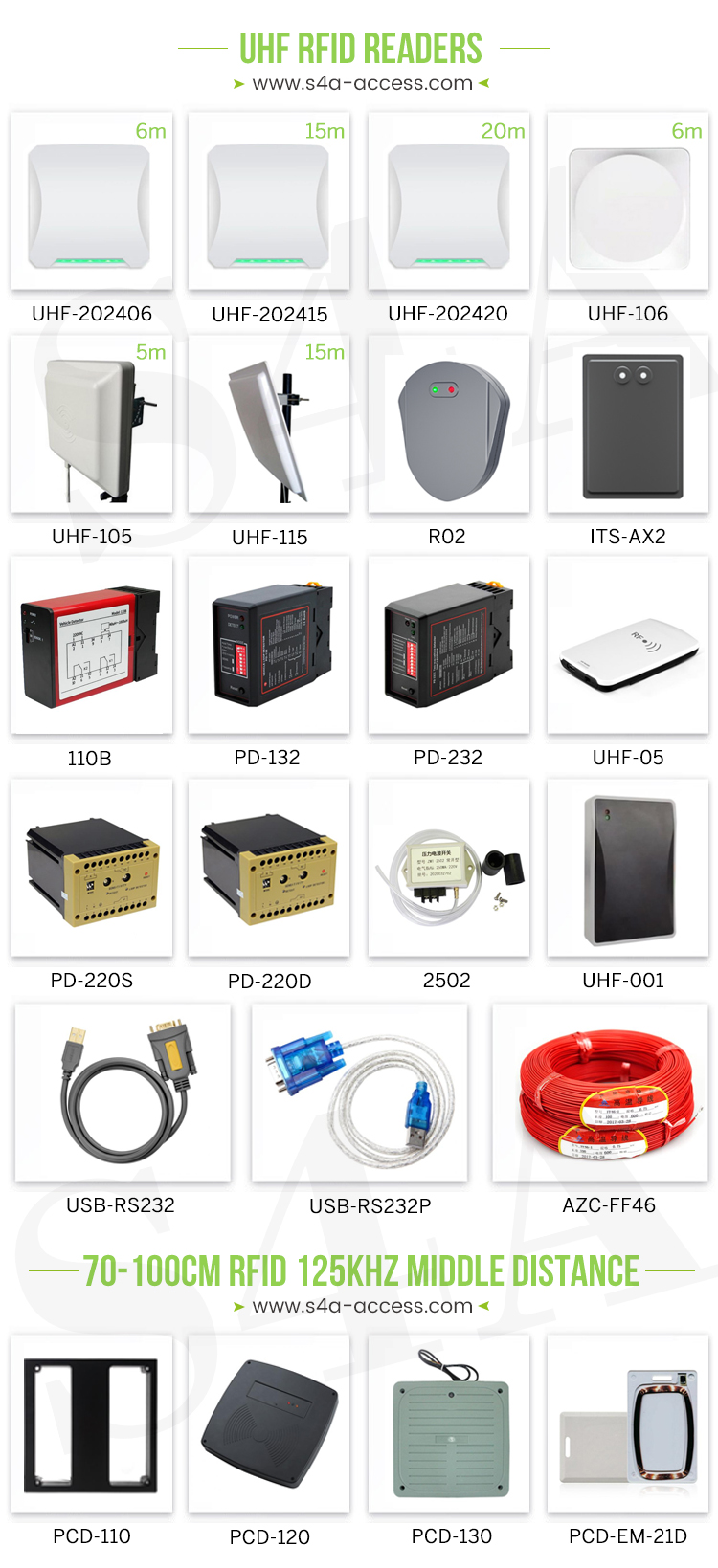
Are S4A UHF card readers compatible with the RFID tags or cards we currently use?

S4A UHF Card Readers: Compatibility and My Personal Experience


uhf rfid reader india from S4A

As someone who has been working closely with RFID technology for a significant period, I've had the opportunity to use and test a wide range of RFID readers and tags. Among them, S4A UHF card readers have stood out for their reliability, performance, and compatibility. With over 15 years in the market and little feedback on quality issues, these readers have earned a reputation for excellence.


When it comes to compatibility, S4A UHF card readers are designed to work seamlessly with a wide range of RFID tags and cards. This is a crucial aspect, as the ability to integrate with existing systems and hardware is often a top priority for businesses and organizations. In my experience, S4A readers have demonstrated impressive compatibility with various RFID tags and cards, making them a versatile solution for a wide range of applications.


integrated uhf rfid reader


One of the first things I noticed about S4A UHF card readers is their ability to work with tags of different frequencies. RFID tags are available in various frequencies, including low-frequency (LF), high-frequency (HF), and ultra-high-frequency (UHF). S4A readers are compatible with UHF tags, which are widely used in applications that require long reading distances and high-speed data transmission. This makes them ideal for environments such as warehouses, logistics centers, and large-scale events, where the ability to quickly and accurately track and manage inventory is crucial.


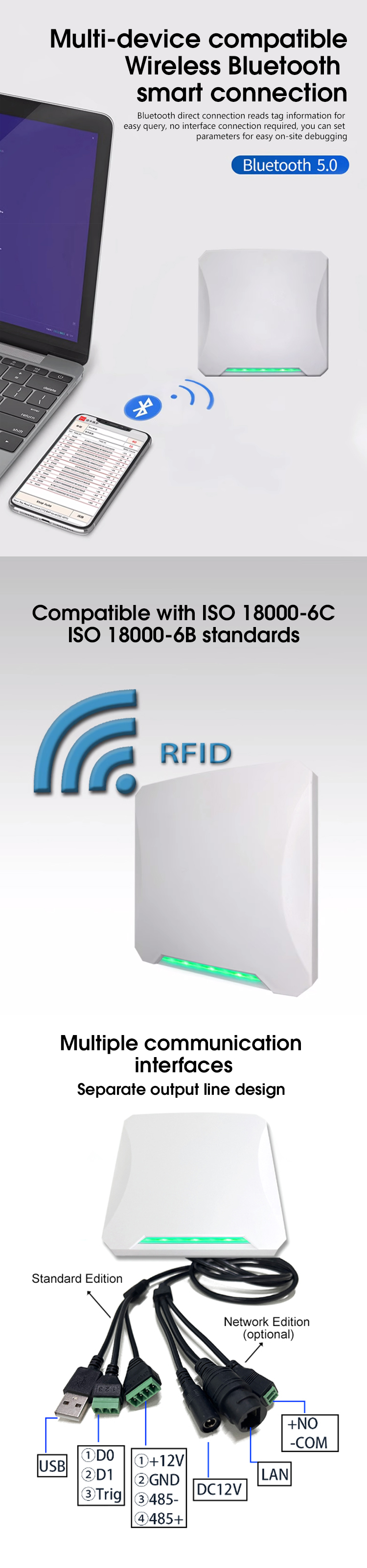
In addition to frequency compatibility, S4A long range uhf rfid reader are also designed to work with tags that use different protocols. RFID tags and readers communicate using specific protocols, and it's essential that the reader can understand and interpret the signals sent by the tags. S4A readers support a wide range of protocols, including ISO 18000-6B and ISO 18000-6C (EPC GEN2), making them compatible with a vast majority of RFID tags on the market.


The compatibility of S4A long range uhf rfid reader extends beyond just RFID tags. These readers also offer a range of communication interfaces that make it easy to integrate them into existing systems. Whether you need to connect the reader to a computer via USB, a network through TCP/IP, or an access control system using Wiegand or RS485, S4A long range uhf rfid reader have the necessary interfaces to meet your needs. This level of flexibility ensures that the readers can be easily integrated into various environments and systems, without the need for extensive modifications or additional hardware.


I've had the pleasure of working with S4A long range uhf rfid reader in a variety of settings, and their compatibility has always been a standout feature. For example, in a recent project where I was tasked with upgrading the RFID system in a large warehouse, I was concerned about the compatibility of the new readers with the existing tags. However, my fears were quickly alleviated when I discovered that S4A long range uhf rfid reader were fully compatible with the tags we were already using. This meant that we could upgrade the system without having to replace all the tags, saving us time and money.


Another instance where S4A long range uhf rfid reader compatibility came in handy was during a conference where we needed to track attendees using RFID badges. The badges were provided by a third-party vendor, and I was unsure if they would be compatible with our readers. However, after conducting some tests, we found that the S4A readers worked flawlessly with the badges. This ensured a smooth and seamless attendance tracking process throughout the conference.


The compatibility of S4A UHF card readers is not just a technical specification; it's a testament to the company's commitment to customer satisfaction and flexibility. By designing readers that can work with a wide range of tags and systems, S4A has made it easier for businesses and organizations to adopt RFID technology without having to worry about compatibility issues.


In conclusion, S4A UHF card readers are a highly compatible solution that can work seamlessly with a wide range of RFID tags and cards. Their ability to support different frequencies, protocols, and communication interfaces makes them a versatile and flexible choice for various applications. Based on my personal experience, I can confidently say that S4A readers are a reliable and trustworthy option for anyone looking to implement or upgrade their RFID system.

Continue
Automatic Sliding Door Operators

Automatic Sliding Door Operators: An In-Depth Guide

gate opener automaticgate opener system

Introduction

Automatic sliding door operators have become an integral part of modern architecture, enhancing convenience, accessibility, and energy efficiency in various settings. From commercial buildings like shopping malls and airports to hospitals and even some residential complexes, these operators ensure smooth and effortless door operation. However, like any mechanical or electrical system, they can encounter problems that need to be addressed promptly.


How Automatic Sliding Door Operators Work

Automatic sliding door operators are designed with a combination of mechanical and electrical components. The main elements include a motor, which provides the power to move the door. This motor is usually controlled by a control unit that interprets signals from sensors. There are two types of sensors commonly used - infrared sensors and motion sensors. Infrared sensors detect the presence of an object by the interruption of infrared light beams, while motion sensors detect movement within their range. When the sensors detect an approaching person or object, they send a signal to the control unit, which then activates the motor to open the door. Closing of the door is also carefully controlled to prevent slamming and ensure safety.


Common Problems with Automatic Sliding Door Operators


sliding gate opener


1. Door Not Opening or Closing Properly

Possible Cause: One of the most common reasons is a malfunctioning sensor. Dust, dirt, or physical damage to the sensor can prevent it from accurately detecting objects. Another cause could be a problem with the motor. A faulty motor may not have enough power to move the door, or there could be an issue with the motor's connection to the power source.


remote gate controller


Solution: First, carefully clean the sensors with a soft, dry cloth to remove any debris. Check for any visible signs of damage to the sensors and replace them if necessary. For motor issues, check the power connection to ensure it is secure. If the motor still doesn't work, it may need to be repaired or replaced by a professional technician.


2. Door Moving Too Slowly or Too Quickly


auto gate systems


Possible Cause: The speed settings of the door operator may have been accidentally adjusted. There could also be an issue with the load on the door. If the door has become heavier due to additional hardware or if the tracks are dirty or obstructed, it can affect the speed.

Solution: Refer to the user manual of the door operator to check and adjust the speed settings correctly. Inspect the door tracks for any dirt, debris, or obstructions. Clean the tracks thoroughly and lubricate them if needed. If the door has additional weight, it may be necessary to adjust the motor's power settings within the allowable range or consult the manufacturer for further advice.


3. Unusual Noises During Operation


automatic sliding gate openers


Possible Cause: Noisy operation can be caused by worn - out parts in the motor or the door's moving mechanism. The tracks may be misaligned, causing the door to rub against them unevenly.

Solution: Check the motor and its components for any signs of wear and tear. Replace any damaged parts. Inspect the door tracks for alignment. If they are misaligned, carefully adjust them to ensure the door moves smoothly. Lubricate the moving parts of the door and the motor's bearings to reduce friction.


4. Door Failing to Stop or Reverse When an Object is in the Way


gate opening kit


Possible Cause: This is a serious safety issue and is often due to a malfunctioning safety sensor. The sensor may not be calibrated correctly or may be faulty.

Solution: Immediately stop using the door and check the safety sensor. Follow the manufacturer's instructions to recalibrate the sensor. If the problem persists, replace the safety sensor as soon as possible.

Benefits of Maintaining Automatic Sliding Door Operators

Proper maintenance of automatic sliding door operators not only ensures the safety of users but also extends the lifespan of the equipment. Regular cleaning and inspection can prevent small problems from escalating into major issues that require costly repairs. Additionally, well - maintained doors contribute to a better overall user experience, as they operate smoothly and efficiently.


sliding automatic gate opener kit

sliding gate opener automatic sliding door


Conclusion

Automatic sliding door operators play a crucial role in our daily lives, providing convenience and accessibility. By understanding how they work and being aware of common problems and their solutions, building owners and managers can ensure that these doors continue to function optimally. Regular maintenance and prompt attention to any issues that arise are key to maximizing the benefits of these advanced door operating systems.


Continue
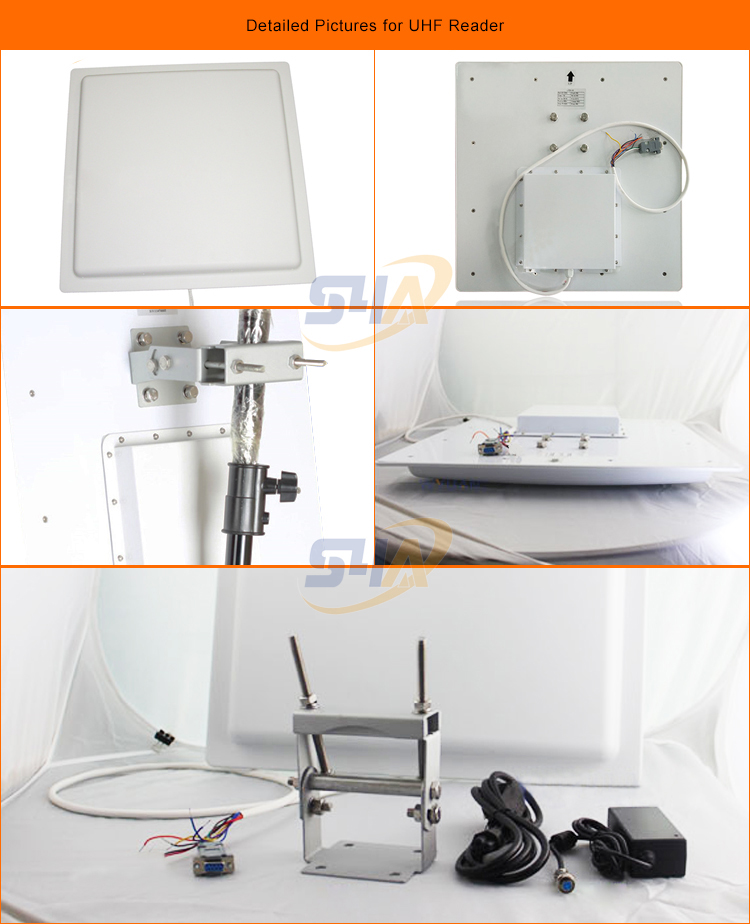
Can S4A UHF reader be integrated with our existing software or systems?

S4A UHF reader

The S4A UHF reader can potentially be integrated with your existing software or systems, but it depends on several factors:

Available interfaces: The S4A UHF reader typically offers interfaces such as RS232, RS485, Wiegand, and RJ45. If your existing software or systems support these interfaces or can be configured to communicate through them, then integration is possible. For example, if your system has an RS232 port and the software is programmed to receive data through this port, you can connect the S4A UHF reader using the RS232 interface for data transfer.

Protocol compatibility: The reader needs to be compatible with the communication protocols used by your existing systems. The S4A UHF RFID GATE READER may support protocols like ISO 18000-6B, ISO 18000-6C (EPC Gen 2). If your software or systems also support these protocols or can be configured to work with them, integration will be more straightforward. However, if there is a mismatch in the protocols, additional programming or middleware may be required to bridge the gap.

SDK and documentation availability: To facilitate integration, the manufacturer may provide a Software Development Kit (SDK) and detailed documentation. The SDK usually contains libraries, APIs, and sample code that can be used to interact with the UHF reader. If the S4A UHF RFID GATE READER comes with a comprehensive SDK and well-documented APIs, it will be easier for your developers to integrate the reader into your existing software or systems.

System architecture and compatibility: The architecture and operating environment of your existing software or systems need to be compatible with the S4A UHF reader. This includes factors such as the operating system (e.g., Windows, Linux), programming language used in your software, and the overall network architecture. If there are significant differences or incompatibilities, it may require additional effort to adapt the reader to your system.


In summary, while the S4A UHF RFID GATE READER has the potential to be integrated with your existing software or systems, a detailed assessment of the interfaces, protocols, available SDK, and system compatibility is necessary to ensure a successful integration. It is advisable to consult with the manufacturer or a technical expert for a more accurate evaluation based on your specific requirements.


Use system's compatibility troubleshooting


Compatibility issues with S4A UHF RFID GATE READER  can be a complex problem to address. However, there are several common troubleshooting methods that can be employed.


uhf rfid fixed reader


First, it's important to ensure that all software and firmware related to the S4A UHF reader are up to date. Outdated software can often lead to compatibility issues. Regularly check for updates from the manufacturer's website and install them as needed. This can address known issues and improve overall performance.

Another common approach is to check the settings and configurations of both the S4A UHF reader and the connected systems. Make sure that the communication protocols, baud rates, and other settings are correctly configured to ensure seamless communication. For example, if the reader is supposed to communicate via a specific wireless protocol, ensure that the receiving device is also configured to use the same protocol.

In some cases, compatibility issues can be caused by interference from other electronic devices. Try moving the S4A uhf integrated reader away from potential sources of interference such as other wireless devices, power sources, or metal objects. This can help reduce interference and improve the reader's performance.

If possible, test the S4A uhf integrated reader with different systems or devices to determine if the compatibility issue is specific to a particular setup. This can help isolate the problem and determine if it's a problem with the reader itself or with the surrounding environment.

Also, check for any error messages or logs generated by the system. These can provide valuable clues about the nature of the compatibility issue. For example, if there are error messages related to communication failures or incorrect data formats, this can help narrow down the problem area.

Finally, if all else fails, consider reaching out to the manufacturer's technical support team. They can provide specific guidance and troubleshooting steps based on their knowledge of the product. They may also be able to offer firmware updates or other solutions that are not publicly available.

In conclusion, troubleshooting compatibility issues with S4A uhf integrated reader requires a systematic approach. By checking for software updates, configuring settings correctly, reducing interference, testing with different systems, and seeking technical support when needed, it's possible to resolve most compatibility issues and ensure smooth operation of the S4A UHF reader.


Continue
Can You Install a S4A 90-Degree Automatic Door Opener Yourself?

Can You Install a S4A 90-Degree Gate Automatic Opening System Yourself?

The feasibility of installing a 90-degree automatic door opener on your hinges upon multiple factors.


1. DIY Skills and Experience

Possessing a sound knowledge of fundamental tools like drills, screwdrivers, and wrenches, along with the proficiency to adhere to technical guidelines, heightens your prospects of a successful self-installation. For instance, if you've previously accomplished tasks such as assembling furniture or installing basic home fittings like curtain rods or light fixtures, you might be well-equipped to take on the installation of a relatively uncomplicated automatic door opener. However, if you lack experience in handling tools and have minimal exposure to mechanical or electrical installations, you could encounter significant difficulties during the process.


2. The Complexity of the Door and Installation Environment

Door Type: A standard-sized interior door that isn't overly heavy and features a simple frame design is generally more amenable to installation. In contrast, a heavy-duty external door, be it a thick metal security door or a large glass door, presents greater challenges due to its weight. Installing an opener on such doors demands more precise alignment and robust support mechanisms.


Power Supply: When the door opener necessitates a wired electrical hookup and the installation site lacks convenient access to power or mandates intricate wiring through walls and ceilings, the installation complexity escalates substantially. Conversely, if it's a battery-operated door opener and you're at ease with battery installation, this particular aspect of the installation becomes less of an obstacle.


Space Constraints:Restricted space in the vicinity of the door, like in a narrow hallway or a constricted doorway, can impede proper positioning and installation of the components. This makes it more arduous to achieve a seamless installation.


Automatic door opener


3. The Specific Model of the Gate Automatic Opening System

Certain automatic door opener models are engineered with user-friendliness in mind. They come accompanied by comprehensive and easy-to-comprehend installation instructions. These models typically have fewer constituent parts and a more straightforward installation routine. On the other hand, some models are more intricate, entailing the assembly of more components and the need for highly precise adjustments. For example, a high-end variant with advanced safety features and a plethora of programmable settings is likely to have a more elaborate installation protocol.


In summary, if you possess basic DIY skills and the installation context, including the door and the door opener model, isn't overly convoluted, you might be capable of undertaking the installation independently. Nevertheless, if you have any reservations regarding your capacity to execute the installation accurately and safely, it is prudent to enlist the services of a professional installer. 


Author: Written by Ms.Anna Zhang from S4A INDUSTRIAL CO., LIMITED

S4A INDUSTRIAL CO., LIMITED


Continue
Home Archives